
Jewelry image standards for Shopify are the format, angle, and naming requirements upload teams apply to every product photo before it enters the store. Without them, teams processing a range of rings, earrings, and necklaces have no consistent way to match each image to the right variant, and customers end up seeing the wrong metal finish on the wrong product.
Jewelry photography is technically different from other fashion product photography. The subjects are small, reflective, and available in closely related finish variants. An upload team can follow general image guidelines and still cause problems if the brief does not address the specific challenges jewelry brings.
Key takeaways
- Jewelry images need to be matched to Shopify variant option values by exact text. The file naming convention in the brief must match the option value the merchant enters in Shopify.
- Macro photography and close-up shots are standard for jewelry because small details like clasp styles, hallmarks, and stone settings are part of what customers inspect before buying.
- Each unique variant (metal type, gemstone, stone color) needs its own assigned image in Shopify. One variant gets one image, so the angles that show finish differences must be separate files.
- Background choice matters for metal visibility: white or light gray backgrounds show gold and rose gold finishes well; black or dark backgrounds are better for silver and white gold.
- Earring pairs need a consistent convention in the brief: shown as a pair, as a single piece, or both. Teams that receive one earring's image for a pair listing will upload it without question.
Why jewelry images are more complex than other product categories
A clothing upload team works with images that show the product on a model or a hanger at a standard distance. Aside from color accuracy, the image demands are predictable. Jewelry is different in three ways.
First, the scale is small. A ring or pendant fills a small area of a standard product image frame. Without macro photography or a close-up shot, the product looks like a dot. The brief needs to confirm that close-up shots are included in the image folder.
Second, the finishes are physically similar but visually distinct. Gold, rose gold, and yellow gold look different under the right lighting but can be confused in an image taken under flat or inconsistent lighting. A team uploading a ring in three finishes needs images where the finish difference is clear and consistent across all three.
Third, the assignment of images to Shopify variants is exact and unforgiving. Shopify allows one image to be assigned to each variant (as of November 2026). For a ring available in Sterling Silver, Gold Vermeil, and Rose Gold, that means three separate assigned images. If a file name uses an abbreviation that does not match the exact text of the option value, the team cannot create the assignment without pausing to ask.
For context on how variant options work in Shopify generally, the Shopify Help Center's guide on variant images covers how to assign one image to each variant from the admin. A jewelry brief needs to account for the exact naming structure that makes those assignments possible without any matching work from the team.
Shot types a jewelry upload team needs in the brief
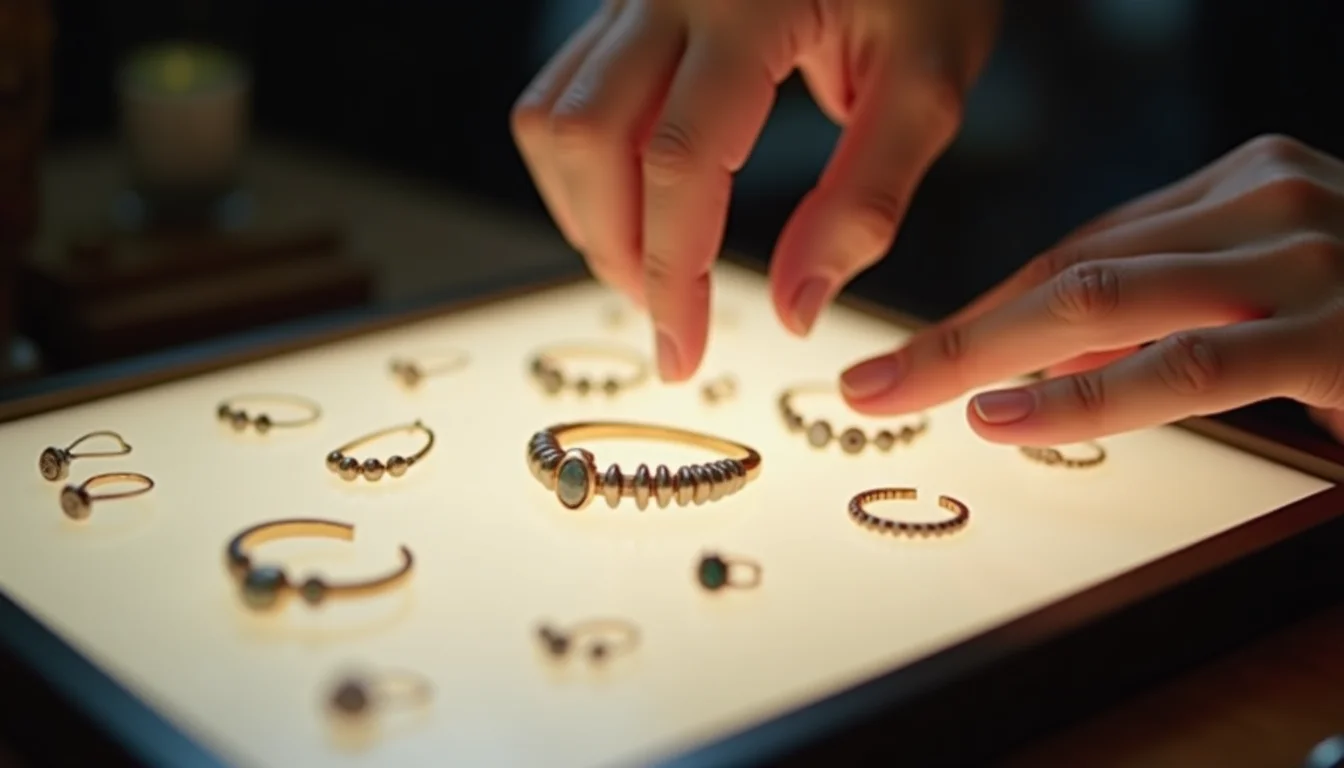
The standard shot types for a jewelry range are not interchangeable. Each serves a different purpose in the product listing.
Front angle (or lay-flat): the primary product shot, showing the piece face-on against the background. For rings, this is the top-down view. For necklaces, it is the pendant with chain laid flat. This is the image assigned to the variant in Shopify.
Angled or three-quarter view: shows depth and dimension. A ring's side profile reveals its setting height. A bracelet's clasp style shows from an angle. This image typically goes into the product gallery without being assigned to a specific variant.
Detail or close-up: macro shot of the stone, the hallmark, the clasp mechanism, or the engraving area. Customers inspecting a piece before purchase look for this level of detail. The brief should specify whether one or two detail shots are included per product and which details to show.
On-model or lifestyle: a necklace worn by a person, a ring on a hand, an earring on an ear. This contextualizes the scale and shows how the piece sits when worn. If lifestyle shots are in scope, the brief needs to say so, since they cannot be used as the variant-assigned image (they show one finish on one person and cannot reliably represent other variants).
Earring pair conventions: earrings are sold in pairs but are photographed in ways that vary by brand. The brief must specify whether the product image shows the pair together, a single earring, or both. Upload teams will follow whatever arrives; without a brief, the convention will be inconsistent across the range.
Jewelry image standards for Shopify upload teams

Shopify accepts JPEG, PNG, WebP, HEIC, and GIF formats for product images, with a maximum file size of 20 MB and a maximum resolution of 25 megapixels (as of November 2026). Within those limits, the brief should specify the format and resolution the team applies consistently.
The format and size requirements that work well for a jewelry range:
| Requirement | Recommended standard | Why |
|---|---|---|
| File format | JPEG for photographed pieces; PNG or WebP for packaged products | JPEG handles realistic photography well; PNG preserves transparency for packaged products with a transparent layer |
| Minimum dimension | 2048 x 2048 px for the primary shot | Shopify's zoom feature benefits from higher-resolution images; fine jewelry detail is lost at lower resolutions |
| Aspect ratio | 1:1 (square) | Consistent aspect ratio across the range produces a uniform grid on the collection page |
| Background (gold, rose gold, yellow gold) | White or light gray | Warm metal tones read clearly against cool neutral backgrounds |
| Background (silver, white gold, platinum) | Black or dark gray | Cool metal tones stand out against dark backgrounds; a white background reduces contrast for silver |
| File size (compressed) | Under 1 MB per image | Faster page load times; Shopify stores full-resolution files and serves scaled versions as needed |
For more context on the full Shopify image file requirements, the Shopify file upload requirements page lists the accepted formats, the 20 MB limit, and resolution limits by media type.
Naming jewelry image files for Shopify variants
This is where most jewelry upload errors occur. When a team assigns an image to a variant in Shopify, they look at the file name and match it to the option value in the brief. If those two do not match exactly, the assignment step becomes a manual matching exercise for every product.
A reliable naming convention follows the pattern: [SKU]-[angle]-[option-value].jpg. For a ring with SKU RNG-001, available in Sterling Silver and Gold Vermeil, with two shot types:
| File name | Variant | Shot type |
|---|---|---|
RNG-001-front-sterling-silver.jpg | Sterling Silver | Front lay-flat |
RNG-001-detail-sterling-silver.jpg | Sterling Silver | Detail/close-up |
RNG-001-front-gold-vermeil.jpg | Gold Vermeil | Front lay-flat |
RNG-001-detail-gold-vermeil.jpg | Gold Vermeil | Detail/close-up |
The option value in the file name must match the option value the merchant uses in Shopify exactly, including capitalization. If the Shopify option says "Gold Vermeil" and the image folder uses "GV" or "gold-vermeil" (lowercase), the team cannot match them without a lookup table or by asking.
This naming rule applies to any variant option that gets its own assigned image: metal type, gemstone color, stone setting, or chain length if the chain affects what the image shows.
For a comparison of how image file naming works in a different fashion category, see Makeup Swatch Images for Shopify Product Pages, which covers the same variant image assignment challenge for makeup shade variants. More jewelry and accessories upload topics are covered in the accessories hub.
The image brief for a jewelry upload team
A jewelry image brief covers these items. For general image requirements that apply to all product photography, see Product Images for Shopify: Upload Team Standards. For a comparison of how image workflows apply to another fashion-apparel category, see Menswear Image Workflow for Shopify Teams.
Shot type list: which shot types are included per product (front, angled, detail, on-model) and how many images to expect per SKU.
Earring convention: pair shown together, single piece, or both options.
Background specification: per metal finish group (not one rule for the whole range if the range mixes warm and cool tones).
File naming convention: the exact pattern and the abbreviations used for each option value, matched to the option values in the product data file.
Detail shot subjects: which details to show in close-up (stone setting, hallmark, clasp, engraving area). Without this, the team will upload whichever angle it receives without knowing what the brand considers important.
Lifestyle shots scope: in scope or out, and if in scope, whether they are assigned to variants or included only in the gallery.
For product image optimization as part of an upload job, the team applies the brief's compression and format rules alongside the data entry work. Including the image specification in the same handover document as the product data file keeps both workflows aligned.
The fashion-apparel industry page at our fashion product upload service covers what the team handles across the broader clothing and accessories category.
Frequently asked questions
Can a Shopify product have different background colors for different variant images?
Yes. Each variant's assigned image can use a different background, and the gallery images can also use different backgrounds. For a jewelry range where gold and silver finishes look better on different backgrounds, the brief should specify the background per finish group and confirm that the photographer has followed that convention before the files are handed over to the upload team.
How many images can a Shopify product have in total?
Shopify does not publish a specific per-product image limit. In practice, the product media section supports many images per product, and merchants typically include a front shot, one or two gallery angles, a detail shot, and an on-model image. What matters for an upload team is that each variant has one assigned image, and the gallery images are ordered so related angles sit together. The Shopify file uploads page covers the technical file limits.
What if the photographer uses a file naming convention that does not match the brief?
The team will upload the files it receives. If the file naming does not match the option values in the data file, variant image assignment becomes a manual matching step. The fix is to align the photographer's naming convention with the product data file before the range is handed over. If the files arrive with inconsistent names, the merchant or photographer needs to rename them before the upload job starts.
Do earrings need to be listed as a pair in Shopify?
Yes, earrings are sold as a pair and should be listed as a single product at the pair price, not as individual pieces. The image convention (pair shown together vs. single piece) is a brand choice, but the product itself is always the pair. The upload team enters the pair price and lists the product as a single unit unless the merchant's data file explicitly shows otherwise.
Should lifestyle shots be assigned to a variant in Shopify?
No. A lifestyle shot showing a necklace on a person in a particular metal finish can only accurately represent that one finish. Assigning it to all variants would show customers wearing a finish they have not selected. Lifestyle shots belong in the gallery, ordered after the variant-assigned front shot, so customers can scroll to see context without the image being incorrectly assigned.