

For example, say a supplier sends a file for a 50-product tent and backpack range. The tent weights are in grams. The backpack volumes are in cubic inches. The sleeping bags have no EN comfort rating listed. These are the data problems that slow down upload jobs. Camping gear data for upload teams covers capacity and weight fields that vary significantly across outdoor categories, and the team needs a consistent field reference before the first row goes in.
Key takeaways
- Camping gear uses category-specific units: liters for backpack volume, grams or ounces for packed weight, and standardized temperature ratings for sleeping bags
- Tents, sleeping bags, and backpacks each use different capacity fields, so the brief needs to cover all three if the catalog includes all three
- Supplier sheets for camping gear often mix measurement systems, so the merchant needs to specify a unit preference before the job starts
- Sleeping bag temperature ratings reference the EN ISO 23537 standard, which defines comfort, lower limit, and extreme ratings as three separate fields
- When a value is missing from supplier data, the team should flag it rather than estimate: camping gear specs affect customer safety decisions
What makes camping gear data different for upload teams
Camping gear is one of the few categories where the same measurement appears under different names and units depending on the brand. A 2-person tent from one brand lists a floor area of 2.9 m² (31.2 sq ft). Another lists "sleeping width" per person. Both describe capacity, but neither uses the same field name or unit.
For the same reason, most supplier spreadsheets for outdoor gear are inconsistent across brands within a single merchant's catalog. The upload team's job is not to standardize the data itself, but to enter it accurately and flag gaps for the merchant to resolve. That starts with a brief that specifies which fields go where in Shopify, and what to do when a supplier file uses a different field name or unit.
The outdoor gear catalog handover guide covers how to structure the handover itself. This article focuses on the specific data fields upload teams need to handle for camping gear.
Capacity fields by product type
Tents
Tent capacity data has four fields that commonly appear in Shopify product listings:
- Person capacity: usually an integer ("sleeps 2", "2-person"). This often drives a Shopify product type or collection condition. It is not a variant in most cases because a tent's person capacity is a fixed characteristic, not a size option.
- Floor dimensions: length x width, in both metric and imperial. For example, 220 x 130 cm (86.6 x 51.2 in). Give both if the supplier file has both.
- Peak height: the interior clearance, in cm and inches.
- Season rating: 3-season, 4-season, or 2-season. Some brands use "3+ season" for extended-season designs. Confirm with the merchant how these map to product types or collection conditions.
Tent floor area is sometimes calculated and sometimes listed directly by the supplier. If the file has only length and width, do not calculate and add a floor area field: enter what is in the file and note the gap in the brief return.
Sleeping bags
Sleeping bag capacity is primarily about temperature ratings. The EN ISO 23537 standard (the current version, as of November 2026, supersedes the earlier EN 13537) defines three temperature ratings for sleeping bags:
- Comfort: the temperature at which a standard woman can sleep comfortably
- Lower limit: the temperature at which a standard man can sleep in a curled position
- Extreme: the survival limit, not recommended for regular use
Each rating is a separate field. If a supplier file lists only one temperature value, ask the merchant to confirm which rating it corresponds to before entering it. Many budget sleeping bags list a single "rated to" figure that may correspond to any of the three.
Sleeping bag length variants (regular, long) are size options in Shopify, not separate products, unless the merchant's store structure treats them as separate products. The same applies to gender-fit variations (men's, women's, unisex): confirm whether these are variants or separate SKUs before the upload starts.
Fill type (down or synthetic) and, for down, the fill power (600-fill, 800-fill, 900-fill) are product attributes that go in the product description or as metafields if the merchant uses them.
Backpacks
Backpack capacity centers on volume, measured in liters. Most technical packs list a total volume (for example, 65L) plus sub-compartment volumes where applicable.
Fields to expect in backpack data:
- Main volume (liters): the total pack volume
- Load range: some technical packs specify a minimum and maximum carry weight (for example, 15 to 25 kg). This is not universal.
- Back length: the torso length the pack fits. Some brands offer S/M/L back lengths as a sizing variant; others have an adjustable fit system where back length is a characteristic, not a variant.
- Hipbelt fit: listed as a range in centimeters (for example, 65 to 100 cm), or as S/M/L hipbelt interchangeability.
A common problem in backpack data: the brand's model name includes the volume ("Trail 65") but the supplier spreadsheet lists volume in cubic inches (3,967 in³). These are not inconsistent, but the merchant needs to confirm which unit to publish before the team converts anything.
Weight and packed dimension fields for camping gear data
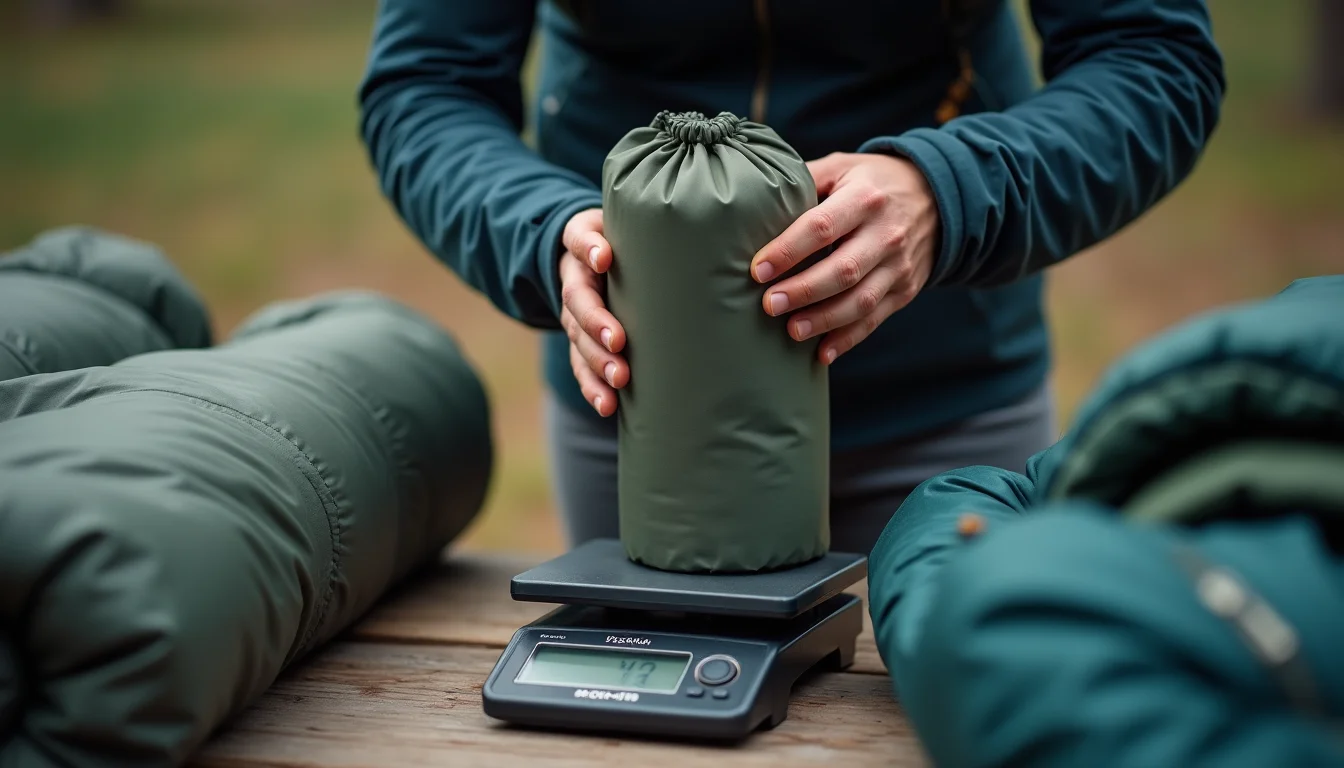
Camping gear weight data has more variation in naming and units than most other product categories. Upload teams encounter three common weight field patterns:
| Field name in supplier data | What it means | Notes for the team |
|---|---|---|
| Trail weight / minimum weight | The weight of the tent body, poles, and footprint without the stuff sack | Confirm which weight the merchant wants listed: some prefer minimum weight, some total weight |
| Total weight / packed weight | Everything included in the box, including stuff sack and repair kit | Use this if minimum weight is not available, or if the merchant prefers the in-box figure |
| Packed dimensions | The dimensions of the tent or sleeping bag when compressed into its stuff sack | Often listed as diameter x length for cylindrical stuff sacks; enter as the supplier provides |
Units: many outdoor brands publish weights in grams or kilograms for the domestic market and in ounces or pounds for export. If a supplier file has both, ask the merchant which unit to use as the primary Shopify field. If only one unit is in the file and the merchant wants the other, that conversion is a merchant task, not a team task.
For sleeping pads, the equivalent of a temperature rating is the R-value: a measure of thermal resistance. The ASTM F3340-18 standard defines R-value testing for sleeping pads, and many brands publish ASTM-certified R-values. Enter the R-value as a numerical figure. Do not convert or recalculate it.
What to include in a camping gear upload brief
A brief for a camping gear upload job needs to answer these questions before the team starts:
- Which product types are included? Tents, sleeping bags, backpacks, sleeping pads, stoves, or accessories. Each type has its own field set.
- What unit system does the store use? Metric (cm, kg, L), imperial (in, lb, oz), or both. If both, which is primary in the product title or description?
- For sleeping bags: does the merchant want all three EN ISO 23537 temperature ratings listed, or only one (and which one)?
- For tents: is person capacity a product type, a collection condition, or a description field?
- For backpacks: are torso sizes and hipbelt options separate variants (with their own SKUs) or a single adjustable-fit note in the description?
- What to do with gaps? If a supplier file is missing a field (for example, no EN lower limit for a sleeping bag), should the team flag and continue or hold those products?
A brief that answers these questions means the team can enter camping gear data consistently across a multi-brand catalog without asking for clarification mid-job. Shopify's automated collection conditions for product type use "is equal to" as the matching rule, which is case-sensitive as of November 2026, so the brief should also confirm the exact product type values and their capitalization.
For Shopify product data entry jobs that cover a full outdoor range, our team handles the brief conversation as part of setup, so the field mapping is confirmed before the first row is entered.
The guide to sporting goods sizes and data for upload teams covers adjacent size and specification fields for sporting goods categories. For sports-specific data work, our sports and outdoors product upload service covers the full range of field types a team handles in this category.
Frequently asked questions
Should sleeping bag temperature ratings be listed in Celsius, Fahrenheit, or both?
Most outdoor brands use Celsius as their primary temperature rating, following the EN ISO 23537 standard, which defines test conditions in Celsius. If the merchant sells primarily to customers in countries that use Fahrenheit, adding both is a common choice. The brief should specify the merchant's preference. Shopify's product fields do not enforce a unit, so either format works as long as it is consistent across the catalog.
How do we handle camping gear that comes in multiple sizes for different body types?
Sleeping bags and backpacks often come in a regular and long, or in separate men's and women's versions. If these are separate SKUs in the supplier file, they are separate variants in Shopify (using size or fit as a variant option). If the supplier lists them as separate products with different titles, check with the merchant whether they want them merged into one product with variants or kept as separate listings.
What is the difference between person capacity and tent floor area?
Person capacity is a marketing label ("sleeps 2") based on the tent manufacturer's recommendation. Floor area is a measured dimension (for example, 4.0 m²) that lets customers judge for themselves. Both may be in the supplier file. If the merchant wants floor area listed, enter it in the description or as a metafield. Tent floor area is a fixed characteristic, not a purchasable option, so it does not belong as a variant.
Can product type be used to separate tents, sleeping bags, and backpacks?
Yes. For camping gear stores, using product type to separate major categories ("Tent", "Sleeping Bag", "Backpack", "Sleeping Pad") is a common and effective approach. It lets collection conditions match by type without requiring separate collections for each category. Confirm the exact product type values and capitalization with the merchant before the upload starts, since collection conditions using "is equal to" are case-sensitive in Shopify.
What if a supplier file has no weight or capacity data at all?
Flag the gap in the brief return for the merchant to resolve. For camping gear, missing weight and capacity data is a supplier data problem that affects how customers make purchasing decisions. The team should not estimate or omit these fields silently. Shopify accepts products with blank fields, so entering what is available and noting the gaps is the right approach. The guide to briefing a Shopify upload service covers how to structure these flag returns.